AARON is a program that generates paintings. It will draw people, plants, plain paintings and simple objects in different styles, positions and colors.
It's also a screensaver, but it's not the next Picasso.
It costs about $20 for registration and it can be evaluated for three days.
Any generated painting can be used only for non-commercial use.
So, we'll run it and start with an option to paint one painting.
So, it begins by drawing lines of whole objects and then it starts coloring in strokes.
Lines will be redrawn after coloring due to color strokes painting over the lines.
Take note that it tries to draw a painting only with strokes.
That's why you might notice some areas left without paint...
...as you can see in here.
And there you have it. A single unique painting made by AARON.
Along with painting a single one, you can also set up to paint continuously. So, we'll do that.
So, it will draw a painting and when it's done it will wait for...
... 15 seconds or 10 more or less. This could be changed in options.
So that's how long does it take to... uh...
... start painting a new drawing after the first one is done.
Okay, so in this case we have a woman behind a plant... in an odd pose, but fair enough.
Sometimes it makes some quite crazy poses, but in this case, it's quite okay, I think.
It's also okay in this case as far as it seems.
So it's not perfect, but take note that this software was released back in 2001 and it's quite unique.
Back then most of screensavers were just plain collection of images as a slideshow...
... while this generates actual paintings on its own.
Paintings are saved in temporary folder on root drive as text formatted file. We'll check this later.
You can save up to... (15-) 16 paintings at once.
After the last one is created, it will cycle back to the oldest painting that's going to be overwritten by a new one.
So we will let it to draw the next one. Might take 15 seconds more or less, but still.
Well, it's a nice painting, but you can still notice some unpainted areas and kind of odd style, but...
... that's how it draws.
Might draw something more fancy or a plain face for now, so we'll stop it from here.
It will keep drawing, but it won't draw the next image in this case, when we stopped it.
It looks kind of odd as there are no lines, but with the lines it looks kind of fine now. Well, more or less.
So what I was looking for... Oh yeah.
We can also review our paintings so we can pick, uh...
... whichever painting we want from the selection or next...
... or next or previous one if you want to navigate, that is...
.. but in this case we are going to pick this one...
... and the reason for is... that I want to print it out.
So, we'll print it out to PDF file.
It will just take a moment. We'll set it up on desktop.
And... there it is.
Okay, one sec.
And there you have it. This is how it would probably look like (in) on a paper.
Nothing special about it but...
I think that will be pretty much nice if you want some paintings for your house or something like that.
Well, it's kinda cheap... if you or don't include the ink price, but nevermind about that. So, back to the program.
So, we have an option to send to a friend, but that doesn't work because the function is probably... no longer available online.
And for options we have delay time. So, that's what I've said about the lifetime between continuous painting...
... and drive the directory where our image is saved.
For registration we can click here to order our registration key, which doesn't work and...
... then enter the registration key we can't get because that doesn't work.
Quite great.
And then about window we can see the usual credits.
Aaron is made by Harold Cohen and the exclusive rights belong to Kurzweil CyberArt Technologies.
Sorry. As in they technically own all generated paintings made by this program.
So yeah, they'll get all the profits and stuff, and you can't do shit because it's not for commercial use in your case.
Okay, what's next? Oh yeah, the help.
So, in this case it's just user documentation with a... bunch of generic stuff about how it works and...
... what's required and why the hell it doesn't work and stuff.
So, we'll just go to their homepage which is actually a..
...actually, an archived version of their website back from 2001.
So we'll begin from few of those pages.
Well, we'll begin with the download page...
... where you should download AARON itself, but...
... there isn't any kind of copy available from an archive, so...
... that's not possible in this case, because it requires all of this information ...
... which wasn't possible to enter before archiving this.
Meanwhile this is quite a thing. The watch page offers a preview of AARON paintings through Java applet.
There are few saved paintings that can be shown in this case, so I'll show few of them.
In this case, it's uh... three women, with a few nice poses and... a plant.
This one's quite nice, so we'll go to another images.
So, in this case it's a woman... well, trying to "smoke" painting...
... and scratch her stomach.
This one is a... woman with a quite nice pose and...
... black hair, which looks like it's the stars in her hair.
We're going to do... the next image.
In this case it's a woman behind a plant.
Well... the plant kind of looks too big for this pot.
That's kind of, well, usual for AARON as far as what I've seen.
We'll probably see it later too, maybe.
Well her pose is maybe okay.
So, we'll go to the next image, where we have three people...
... standing near the giant plant and g-
Whoa.
... and well, the first guy got painted over the floor.
The second woman is just thinking about something and the other guy's just wondering what hell's going on.
Okay. The fifth image is a woman, who wishes for something...
... behind of the plant that's also kind of giant.
I have an idea why the hell all the plants are quite giant in those... how to say, pots.
Maybe it's just a minor bug or something, but it's not a big deal, and this page is basically just an error.
Basically, there's no image loaded in this case.
Okay, so we have a read page, which contains a message from Ray Kurzweil...
... talking about AARON in general. In short, some of the paintings made by AARON are hung in museums around the world.
He had a copy of AARON running on a large panel display in his lobby for a while to demonstrate AARON itself...
... and later decided to get an exclusive license to use it,
... and probably profit.
Fair enough.
And... on learn page we can learn about AARON's history which involves pretty much...
... about reading Harold Cohen's biography, the author of the AARON itself.
And... then the essays... then even more essays...
... and well... I don't know.
Maybe that's too much history in my case.
The help part is just... the same user documentation, so we'll skip that and poetry is...
... another screensaver that writes poetry,
... but that's not available for me because I don't have a copy of it and download is also, well... not available.
So, we're pretty much done with this, so we'll just show this part.
So, in this case these are the images called "aa" and then a number of the painting...
... and this is basically how it looks like.
Not quite readable, but still.
So, each image is like that. It can be read by AARON, so you can make a backup copy...
... and then put it back if you want to check it out later.
The image part has some kind of different kind of type, but...
I never manged to understand what's the point for that. Maybe it's probably temporary for some...
... template or something like that.
The image ID is basically identifier for which is the last image that has been generated.
And "rseed" is basically a random seed file, which generates random seed numbers, I think.
That's probably used for generating actual painting.
So, if there're no random seeds before we will probably get the same image over and over.
So, well, the random part's basically still kind of pseudo-random.
Pseudo-random as in... it's not completely random, but it's technically random.
I never never understood that much, but still...
... doesn't matter. So finally, we will get to the AARON's screensaver itself.
There are no options for it... so I'll just let it to play few of those... drawings.
(Screen footage has been sped up to fit the play time of FINCL_01.mid.)
[FINCL_01.mid playing]
So that's pretty much about this.
Bye.


 For more infomation >> KAD REVISTA - Software para editora de revistas - software editora revista - Duration: 3:57.
 For more infomation >> KAD SALÃO BELEZA - Software para salão de beleza - software salão beleza - Duration: 3:05.
  For more infomation >> KAD REVENDA VEÍCULOS - Software para revenda de veículos - software revenda veículos - Duration: 4:14.
  For more infomation >> KAD RODEIO - Software para rodeio festa de peão - software rodeio festão de peão - Duration: 4:24.
  For more infomation >> KAD SEGURADORA - Software para corretora de seguros - software seguradora - Duration: 3:43.
 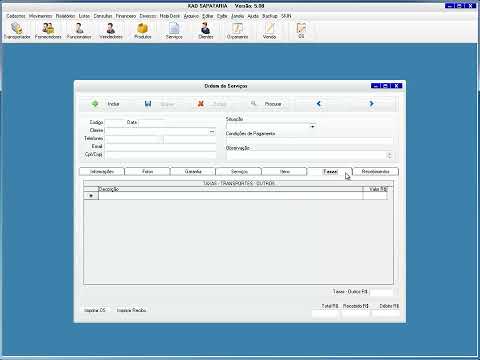 For more infomation >> KAD SAPATARIA - Software para sapataria - software sapataria - Duration: 3:27.
 For more infomation >> KAD REVENDEDORA - Software para revendedora Avon Boticário Natura - software revendedora - Duration: 2:37.

Không có nhận xét nào:
Đăng nhận xét